
P&C insurance · open source · local-first
Turn a rate filing into a working rating engine. Every number, cited.
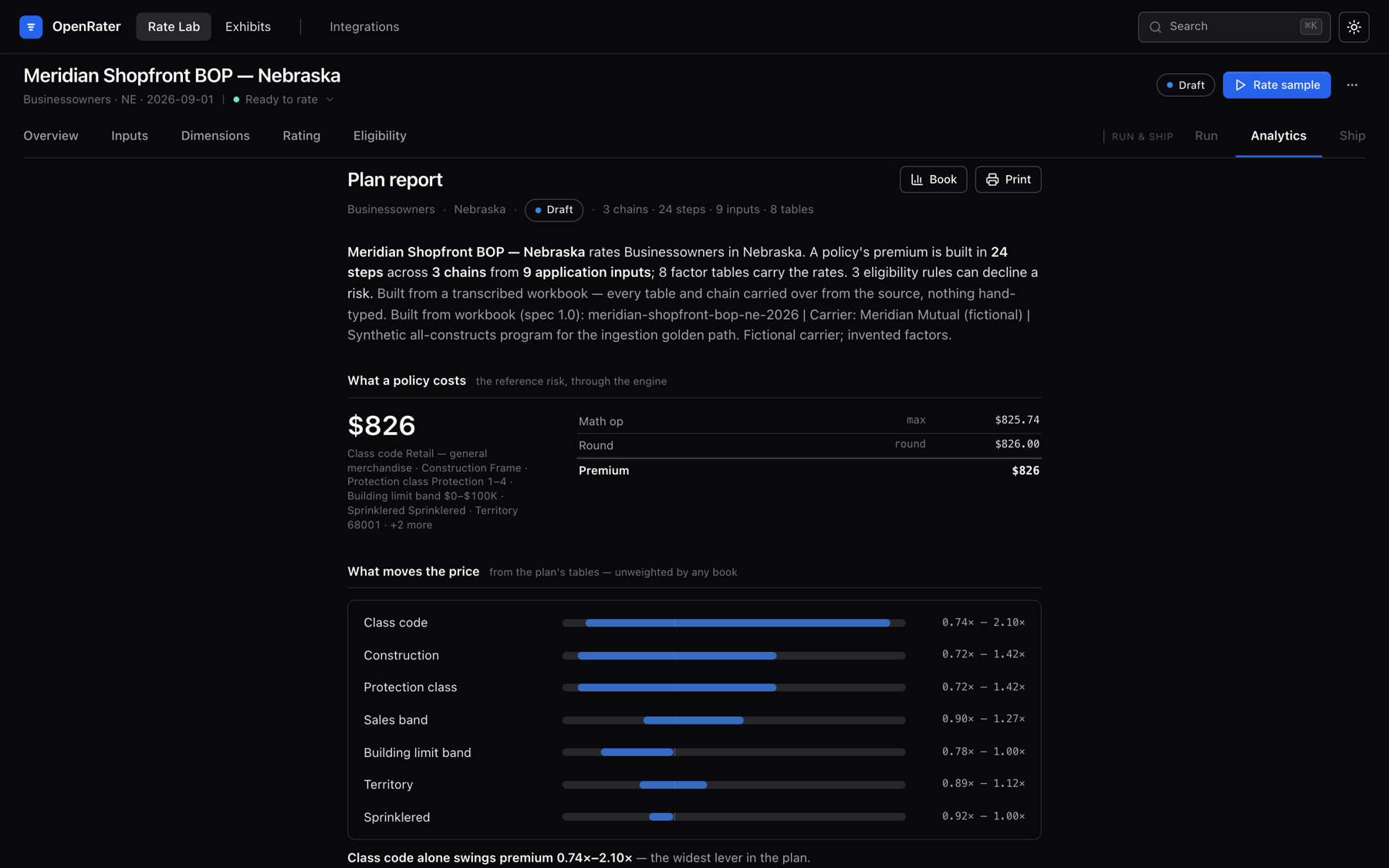
P&C rating manuals are hundreds of pages of PDF. OpenRater makes them executable: an AI transcribes the filing into an Excel workbook you review, a deterministic engine rates, and every factor traces to its page.1
free · Apple silicon · Intel Mac · Windows
How it works
filing.pdf → workbook.xlsx → plan + build report → premium
You bring the manual you're entitled to use. OpenRater never fetches filings.
youThe AI transcribes it into a spec'd workbook — every cell cites its page, and anything unsupported lands in a gaps sheet, never approximated. You audit it in Excel.
ai transcribes · you reviewA deterministic compiler validates and builds the plan — zero AI from here on. The filing's own worked examples run as acceptance tests.
platformWalk any risk step by step, quote in chat, serve a local API, or re-rate a book from CSV. Same inputs, same answer, every time.
platformWhy trust it
Every number has a citation
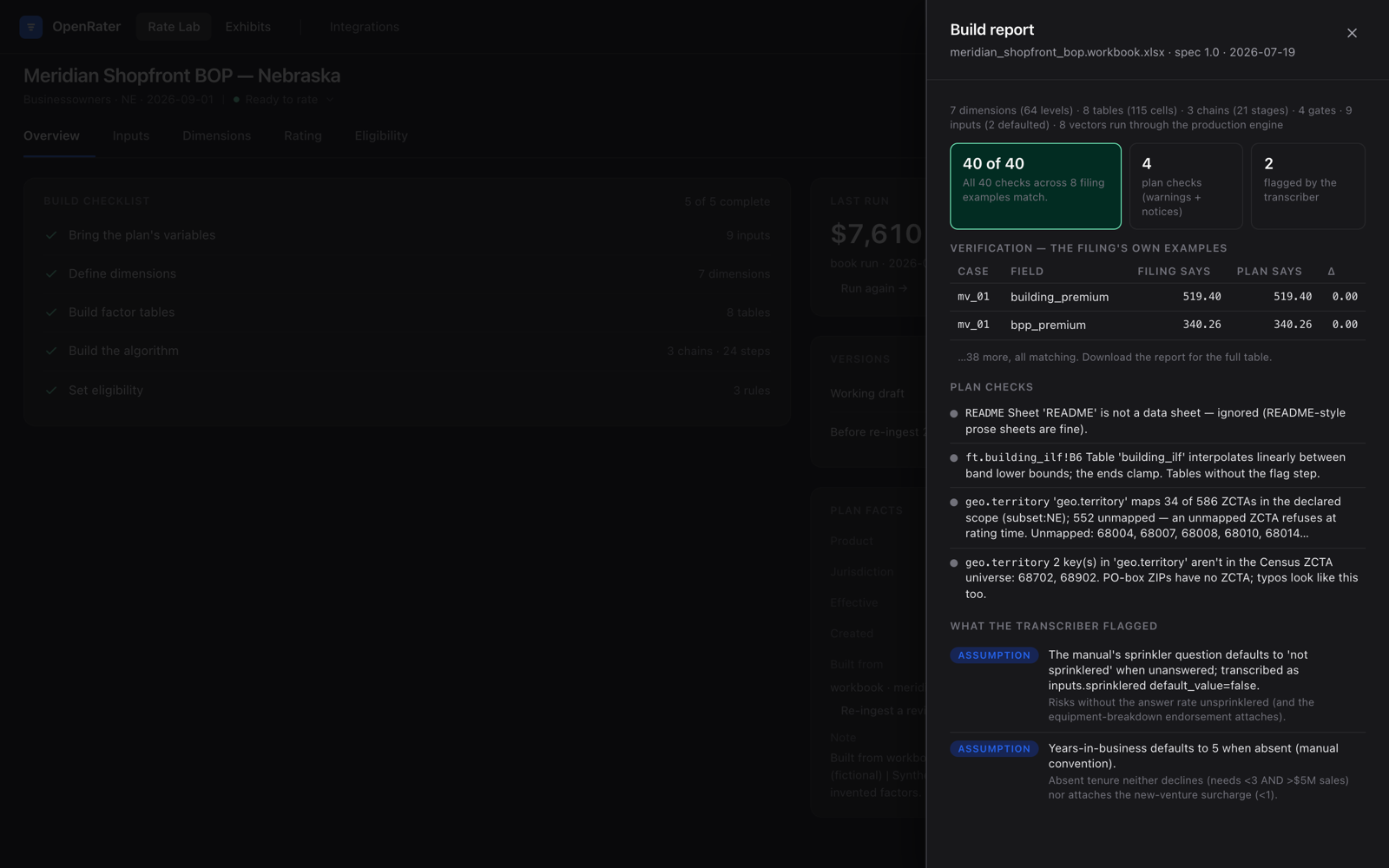
The build report records where each factor came from, to the page. Revisions show a cell-grain diff before anything is applied.
The filing tests itself
Worked examples from the source document become acceptance tests in the
test_cases sheet — correctness is pinned to the filing, not to opinion.
Refuse, never improvise
An input the plan can't rate is a visible, structured error — never a silent neutral factor, never a plausible-but-wrong premium.
A human seat, built in
The workbook is the review gate: an ordinary Excel file an actuary can open, audit, and correct before anything rates.
The build report says so — or it says no.
Every build replays the filing's worked examples through the production engine: 40 of 40 checks match to the penny, warnings are itemized, and every transcriber assumption is flagged for review — before the first real risk is rated.
Install in two minutes
Get Claude Desktop
Download Claude Desktop (Mac or Windows) and sign in. It's the only prerequisite.
Drag it in
In Claude Desktop, open Settings → Extensions and drag the file in. Signed and notarized — no warnings.
Ask Claude
Start a chat and ask:"What is OpenRater? Show me." The engine starts locally, the app opens in your browser, and a three-minute tour begins.
Not sure which Mac? Apple menu → About This Mac — "Chip" means Apple silicon, "Processor" means Intel. macOS builds are Developer ID-signed and notarized; Windows builds are signed via Azure Trusted Signing.
Three ways in
Claude Desktop + the extension. The full loop in chat, review UI one click away. No terminal required.
Claude Code, or any MCP client. The same loop, scriptable, over 18 MCP tools — see AGENTS.md.
Self-hosted. REST API, deterministic scoring engine, integration-events ledger — a Docker Compose kit ships in deploy/.